
You Are Empty: 6000-Pellet Shotgun Guide
On this page (4)
You can make the shotgun in You Are Empty fire 6000 pellets with one trigger pull by editing a single text file. This page shows which file to open, which lines to change, and what the other weapon and player variables do.
The short version: the weapon and player values are plain .lua scripts in the game folder, so any text editor will do and no extra tools are needed. Open weapon_obrez.lua, set m_bullets_in_shot to 6000 and save. The game lags for a few seconds on each shot at that setting. Changes like these can make the game easier, so I would play through on the unmodified files first.
Find the weapon scripts
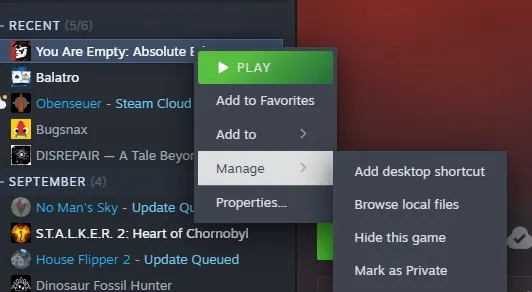
To reach the game folder, right-click You Are Empty in your Steam library, pick Manage, then Browse local files. From there go into gameres\scripts\you_are_empty\prototypes\weapons. Each weapon has its own .lua file in that folder, and you can open any of them in a text editor such as Notepad++. The game's shotgun, the Obrez, is weapon_obrez.lua.
The file lays out the weapon's variables in a clear structure, with some basic scripting around them. Change a value next to a variable and save the file.
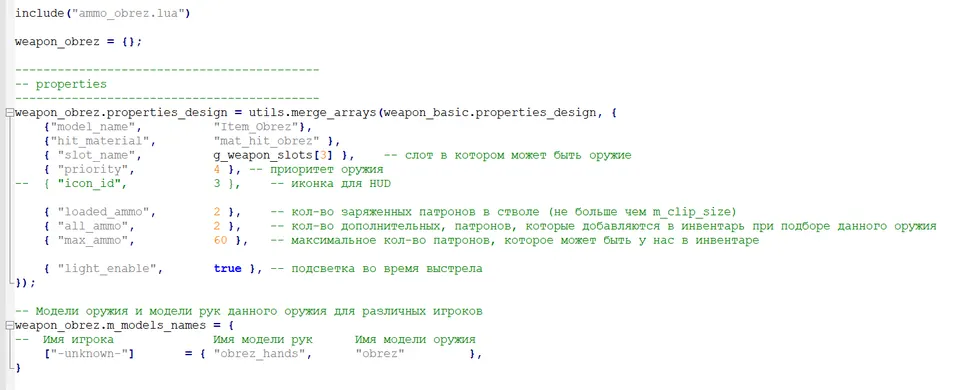
Make the Obrez fire 6000 pellets
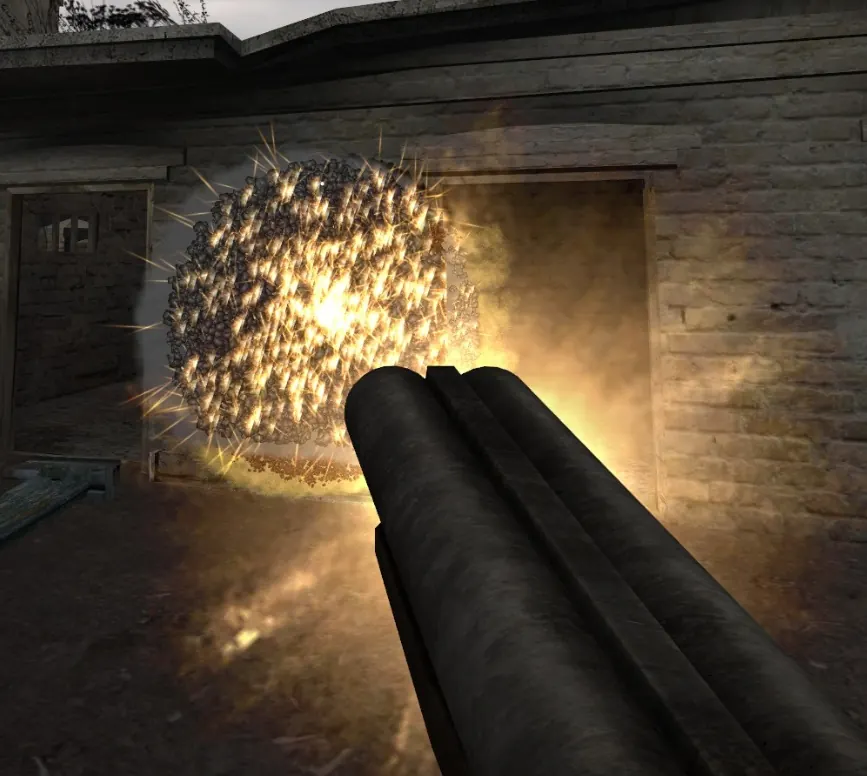
These game values can be edited simply, and the result is the Obrez firing a huge cloud of pellets. Only m_bullets_in_shot is needed for that. The other changes are optional tuning around it. As of the launch build, the Obrez fires 5 pellets per shot by default. Restart the game after saving if it was running. The meaning of each variable is in the reference below.
| Variable | Original | Changed | Reason |
|---|---|---|---|
weapon_obrez.single.m_bullets_in_shot (required) | 5 | 6000 | The 6000-pellet shot |
max_ammo (in the properties block) | 60 | 666 | Carry far more shells |
weapon_obrez.single.m_bullet_damage | 50 | 1 | Each pellet does much less damage |
weapon_obrez.single.m_shot_disp | 25 | 150 | A wider cone of spread |
weapon_obrez.single.m_shot_recoil | 3.5 | 9 | A harder kick when firing |
weapon_obrez.m_clip_size | 2 | 6 | A larger magazine |
m_ammo_for_shot stays at 1, so each shot still uses one round.
Weapon variable reference
These variables appear across the various weapon scripts. The lists are a starting point and not a complete reference, and they may change with game updates. The generic weapon behaviour, such as how reloading and ammo handling work, lives in base files under gameres\scripts\engine\prototypes\weapons.
Ammo and magazine
| Variable | What it controls | Extra notes |
|---|---|---|
loaded_ammo | Rounds in the gun | Does not set magazine capacity. It appears to decide how much ammo is loaded when you first pick the weapon up. |
all_ammo | Ammo you receive when picking the gun up | |
max_ammo | Total ammo the player can carry for this gun | |
m_clip_size | Magazine capacity | Must be equal to or higher than loaded_ammo |
m_ammo_for_shot | Ammo used per trigger pull | 0 gives infinite ammo |
m_ammo_class | Name of the ammo the gun uses | The prototypes\ammos folder lists the available classes |
m_ammo_type | Companion setting to the ammo class | Copy it from another weapon script |
Damage and range
| Variable | What it controls | Extra notes |
|---|---|---|
m_bullets_in_shot | Bullets or pellets per trigger pull | Raise it on any gun to turn it into a shotgun |
m_bullet_damage | Damage per bullet or pellet | |
m_bullet_impulse | Force applied to physics objects and NPCs | Very high values send enemies through the terrain |
m_bullet_min_dist | Shortest distance a bullet can travel | Seems to add some randomness to bullet range |
m_bullet_max_dist | Longest distance a bullet can travel | |
m_bullet_dist | Average bullet travel distance | Unclear, but it appears to set how far the wrench can hit |
Spread and recoil
| Variable | What it controls | Extra notes |
|---|---|---|
m_shot_disp | Shot spread | Higher means more spread |
m_shot_disp_zoomed | Shot spread while aiming | Higher means more spread |
m_shot_recoil | Recoil | Higher means a harder kick |
m_shot_recoil_zoomed | Recoil while aiming | Higher means a harder kick |
Fire rate and effects
| Variable | What it controls | Extra notes |
|---|---|---|
m_rate_of_fire | Rounds fired per second | For comparison, an AK fires about 10 rounds per second |
fire_finish_interruption_time | Delay before the next shot while the firing animation plays | At 0, the whole firing animation plays out before the next shot |
light_enable | Whether the muzzle flash gives off light | true or false |
m_shot_effect_name | Name of the muzzle flash effect file | For example, the SMG could use the shotgun's flash |
m_shot_point_name | Point on the gun where the muzzle flash appears | |
m_trace_bullet_effect_name | Bullet tracer effect |
View and aiming
| Variable | What it controls | Extra notes |
|---|---|---|
m_normal_fov | Field of view tied to the gun | At the time of writing it seems to do little, since the game has a FOV slider |
m_model_fov | Field of view used to draw and position the gun model | A higher number shows more of the gun, as if it were pushed forward |
m_zoomed_fov | How much aiming zooms the view | A smaller value means a stronger zoom |
m_zoomed_mouse_sens_scale | Mouse sensitivity while aiming | |
m_hide_crosshair_in_zoom | Whether the crosshair is hidden while aiming | true or false |
Animations
Each states_design entry sets the animation and its playback speed for one state of the gun. A higher anim_speed plays the animation faster, and you could swap in a different animation, for example the reload animation for drawing the gun. The reload entry also sets reload time, and a higher number reloads faster.
| Variable | State it covers |
|---|---|
states_design["show"] | Drawing the gun |
states_design["hide"] | Putting the gun away |
states_design["idle"] | Idle |
states_design["fire"] | Firing |
states_design["zoom_in"] | Aiming |
states_design["fire_zoomed"] | Firing while aiming |
states_design["reload"] | Reloading |
Player and NPC variables
The player values live in actor_player_design.lua, in the folder gameres\scripts\you_are_empty\prototypes\actors\actor_player. The NPC rows are in the same table.
Player
| Variable | What it controls | Extra notes |
|---|---|---|
stay_height | Player height | |
sit_height | Crouch height | |
max_health | Player maximum health | |
walk_forward_speed | Sprint speed | The names are swapped: this one is sprinting, and run_forward_speed is normal walking |
walk_backward_speed | Backwards walking speed | You can make backwards movement many times faster than forwards |
run_forward_speed | Normal walking speed | |
jump_height | Player jump height | Handy for getting unstuck and for reaching out of bounds areas |
min_steps_time | Shortest time between footstep sounds | |
max_steps_time | Longest time between footstep sounds | Setting both to around 25 gives very slow footsteps |
m_health_regeneration | Health regeneration speed | 0 by default. Raising it turns regeneration on, and 20 is the value suggested. |
actor_spawn_props_default | A large array of what the player starts with on each level | Copying the default table into a level's array starts a game with all weapons |
NPC
| Variable | What it controls | Extra notes |
|---|---|---|
turn_speed | How fast NPCs turn | |
view_fov | NPC vision cone, in degrees | |
view_dist | How far NPCs can see, in meters |